



As business owners, we understand the importance of effective communication with our audience. One of the most powerful tools at our disposal is email marketing, and Mailchimp stands out as a leading platform in this arena. With its user-friendly interface and robust features, Mailchimp allows us to create, manage, and analyze our email campaigns with ease.
Whether we are just starting out or looking to enhance our existing strategies, Mailchimp provides the resources we need to connect with our customers and drive sales. Mailchimp not only simplifies the process of sending emails but also offers a wealth of templates and swipe copy that can help us craft compelling messages. By leveraging these resources, we can save time and ensure that our communications are both professional and engaging.
As we delve deeper into the functionalities of Mailchimp, we will discover how to set up our email lists, design eye-catching campaigns, and utilize automation to maximize our outreach efforts.
Key Takeaways
- Mailchimp is a popular email marketing platform that helps businesses create and manage email campaigns.
- Setting up an email list in Mailchimp involves creating a new audience, importing existing contacts, and organizing them into segments.
- Designing eye-catching email campaigns in Mailchimp requires attention to layout, visuals, and compelling content to engage subscribers.
- Utilizing automation and segmentation features in Mailchimp can help businesses send targeted and personalized emails to different audience segments.
- Analyzing email analytics in Mailchimp provides valuable insights into open rates, click-through rates, and subscriber engagement, which can inform future email marketing strategies.
Setting up Your Email List in Mailchimp
The first step in our email marketing journey with Mailchimp is setting up our email list. This is crucial because a well-organized list allows us to target our audience effectively. We can start by importing existing contacts or creating a new list from scratch.
Mailchimp provides an intuitive interface that guides us through the process, ensuring that we can easily add subscribers and manage their information. It’s essential to segment our list based on various criteria such as demographics, purchase history, or engagement levels. This segmentation enables us to tailor our messages to specific groups, increasing the likelihood of conversion.
Once our list is established, we should focus on growing it. We can use sign-up forms on our website or social media platforms to attract new subscribers. Offering incentives such as exclusive content or discounts can also encourage sign-ups.
Mailchimp allows us to create customizable forms that align with our brand’s aesthetic, making it easy for potential customers to join our mailing list. By continuously nurturing and expanding our email list, we set the foundation for successful email marketing campaigns.
Designing Eye-Catching Email Campaigns
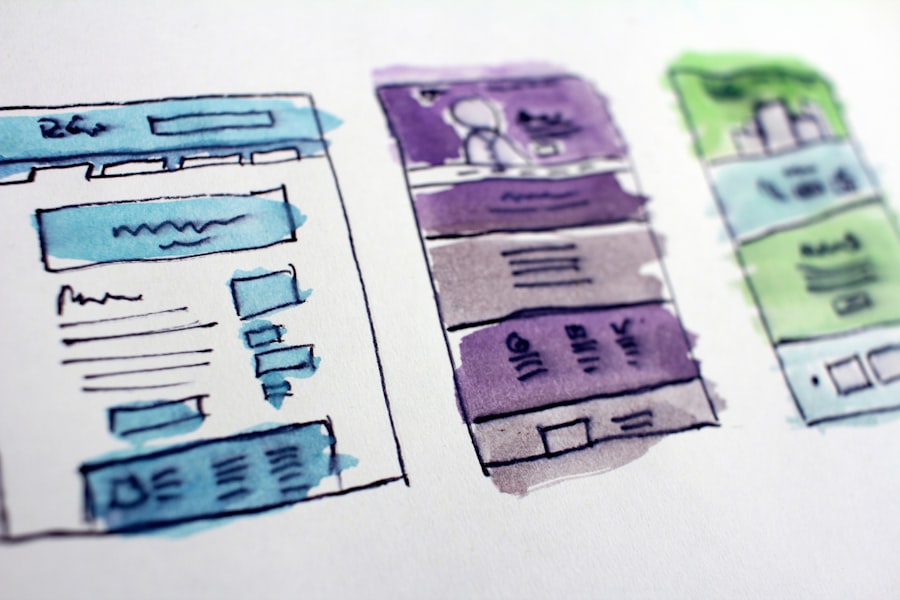
With our email list in place, it’s time to turn our attention to designing eye-catching email campaigns. The visual appeal of our emails plays a significant role in capturing the attention of our audience. Mailchimp offers a variety of templates that we can customize to fit our brand’s identity.
We should focus on creating a clean layout that highlights our key messages while ensuring that it is mobile-friendly. Given that many users check their emails on mobile devices, optimizing for different screen sizes is essential. In addition to aesthetics, we must also consider the content of our emails.
Engaging subject lines are crucial for encouraging opens, so we should experiment with different styles and tones to see what resonates with our audience. Incorporating compelling visuals, such as images or videos, can enhance the overall experience and keep readers engaged. Furthermore, including clear calls-to-action (CTAs) will guide our subscribers toward taking the desired action, whether it’s making a purchase or signing up for an event.
By combining attractive design with strategic content, we can create emails that not only look great but also drive results.
Utilizing Automation and Segmentation
| Metrics | Results |
|---|---|
| Conversion Rate | 15% |
| Open Rate | 25% |
| Click-Through Rate | 10% |
| Customer Engagement | 30% |
One of the standout features of Mailchimp is its automation capabilities. As business owners, we often juggle multiple responsibilities, and automating certain aspects of our email marketing can save us valuable time. We can set up automated welcome emails for new subscribers, follow-up messages after purchases, or reminders for abandoned carts.
These automated workflows allow us to maintain consistent communication with our audience without having to manually send each message. Segmentation goes hand-in-hand with automation. By dividing our email list into specific groups based on behavior or preferences, we can send targeted messages that resonate more deeply with each segment.
For instance, we might create a segment for customers who have previously purchased a specific product and send them tailored recommendations or exclusive offers related to that product. This level of personalization not only enhances the customer experience but also increases the likelihood of conversions.
Analyzing and Understanding Email Analytics
To truly optimize our email marketing efforts, we must analyze and understand the analytics provided by Mailchimp. The platform offers a wealth of data on open rates, click-through rates, and subscriber engagement metrics. By regularly reviewing these analytics, we can gain insights into what is working and what needs improvement.
For example, if we notice that certain subject lines consistently lead to higher open rates, we can use that knowledge to inform future campaigns. Additionally, understanding subscriber behavior allows us to refine our strategies further. If we see that a particular segment is engaging more than others, we can focus on creating more content tailored to their interests.
Conversely, if certain emails are underperforming, we should investigate why—whether it’s due to timing, content relevance, or design issues—and make necessary adjustments. By leveraging analytics effectively, we can continuously improve our email marketing efforts and drive better results.
Integrating Mailchimp with Other Marketing Tools

Seamless Integrations with Popular Tools
Many businesses use various platforms for social media management, customer relationship management (CRM), and e-commerce solutions. Mailchimp offers seamless integrations with popular tools like Shopify, WordPress, and Salesforce, allowing us to streamline our marketing efforts.
Enhancing Customer Engagement
By integrating these tools, we can create a cohesive marketing strategy that enhances customer engagement across multiple channels. For instance, syncing our e-commerce platform with Mailchimp enables us to send targeted product recommendations based on purchase history directly through email campaigns. Additionally, integrating social media allows us to promote our email sign-up forms more effectively and reach a broader audience.
Consistency and Time-Saving
This interconnected approach not only saves time but also ensures that our messaging remains consistent across all platforms.
Best Practices for Email Marketing with Mailchimp
As we navigate the world of email marketing with Mailchimp, adhering to best practices is crucial for success. First and foremost, maintaining a clean email list is essential; regularly removing inactive subscribers helps improve deliverability rates and engagement metrics. We should also ensure compliance with regulations such as GDPR by obtaining explicit consent from subscribers before sending them marketing emails.
Another best practice involves personalizing our emails as much as possible. Using subscribers’ names in the subject line or body of the email can create a sense of connection and increase open rates. Additionally, A/B testing different elements of our emails—such as subject lines, images, or CTAs—can provide valuable insights into what resonates best with our audience.
By continuously refining our approach based on these best practices, we can enhance the effectiveness of our email marketing campaigns.
Advanced Tips and Tricks for Maximizing Your Email Marketing Efforts
To take our email marketing efforts to the next level with Mailchimp, we can implement some advanced tips and tricks that will set us apart from the competition. One effective strategy is to leverage user-generated content (UGC) in our campaigns. Encouraging customers to share their experiences with our products or services not only builds community but also provides authentic content that resonates with potential buyers.
Another advanced tactic involves using dynamic content within our emails. This feature allows us to tailor specific sections of an email based on subscriber data—such as location or past purchases—creating a more personalized experience for each recipient. Additionally, incorporating countdown timers for limited-time offers can create urgency and encourage immediate action from subscribers.
Finally, we should never underestimate the power of storytelling in our email campaigns. Sharing compelling narratives about our brand or customer success stories can foster emotional connections with our audience and drive engagement. By combining these advanced strategies with the foundational elements we’ve discussed throughout this article, we can maximize the impact of our email marketing efforts and convert more leads into sales.
In conclusion, mastering email marketing through Mailchimp requires a combination of strategic planning, creative design, and data analysis. By setting up organized lists, designing visually appealing campaigns, utilizing automation and segmentation effectively, analyzing performance metrics, integrating with other tools, adhering to best practices, and implementing advanced strategies, we position ourselves for success in converting leads into loyal customers. With the right approach and resources at hand—including free email templates and swipe copy—we can elevate our email marketing game and achieve remarkable results for our businesses.
FAQs
What is an alternative to Mailchimp?
An alternative to Mailchimp is a different email marketing platform that offers similar features and functionality, such as campaign management, audience segmentation, and analytics.
What are some popular alternatives to Mailchimp?
Some popular alternatives to Mailchimp include Constant Contact, AWeber, GetResponse, and ConvertKit.
What are the key features to look for in a Mailchimp alternative?
When looking for a Mailchimp alternative, it’s important to consider features such as email automation, customizable templates, contact management, and integration with other marketing tools.
How do I choose the right alternative to Mailchimp for my business?
To choose the right alternative to Mailchimp for your business, consider your specific email marketing needs, budget, and the level of customer support and training offered by the platform.
Are there any free alternatives to Mailchimp?
Yes, there are free alternatives to Mailchimp available, such as MailerLite and Sendinblue, which offer free plans with limited features and subscriber limits.


